

AI is changing how nonprofit fundraising and marketing teams work with their data. In our July 2026 webinar with The NonProfit Times, we showed what that looks like in practice: instead of waiting weeks for a static report, you ask a question in plain English and Claude writes the code, runs it on your data, and hands back the answer.
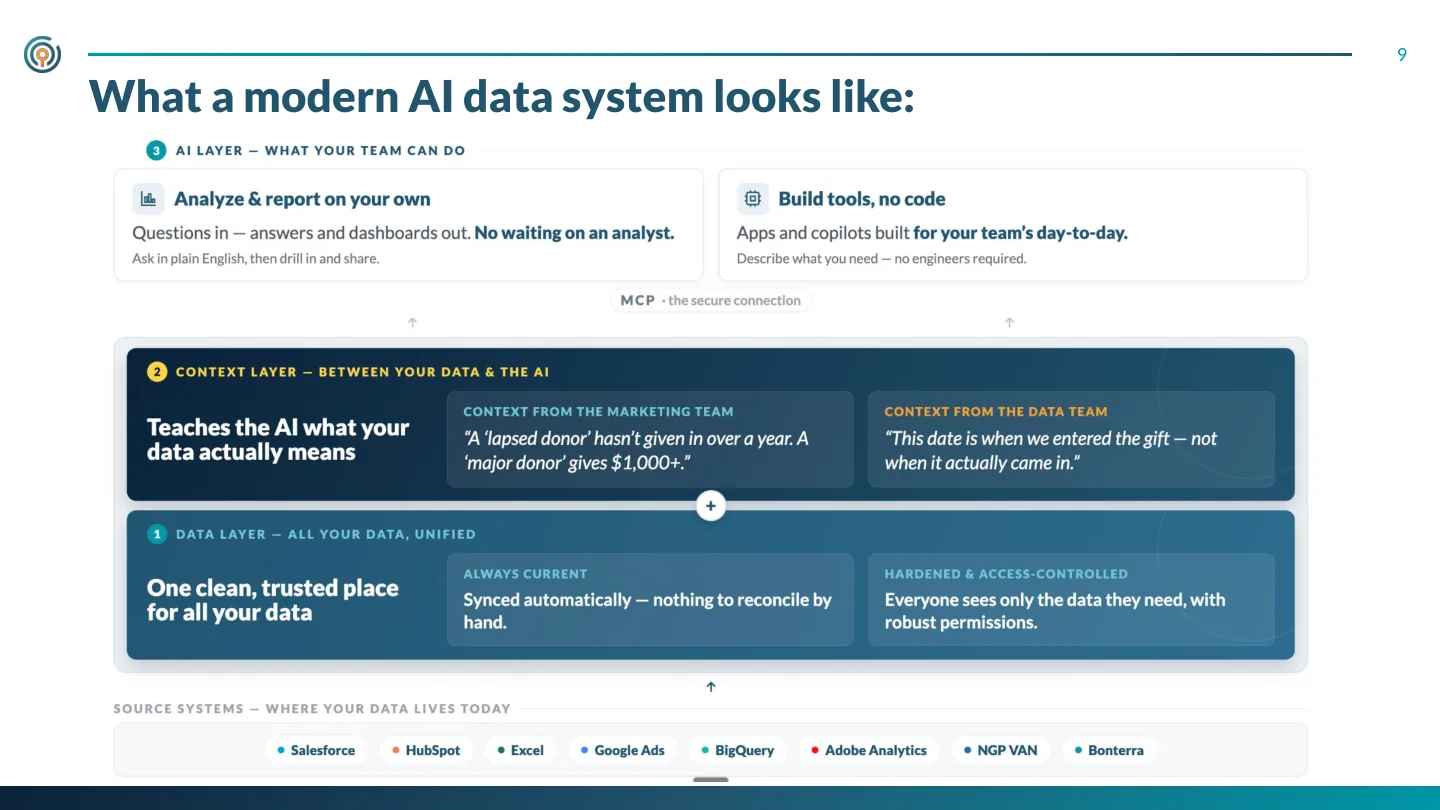
From the slides · What a modern AI data system looks like: a clean data layer, a context layer, and an AI layer on top
Key takeaways
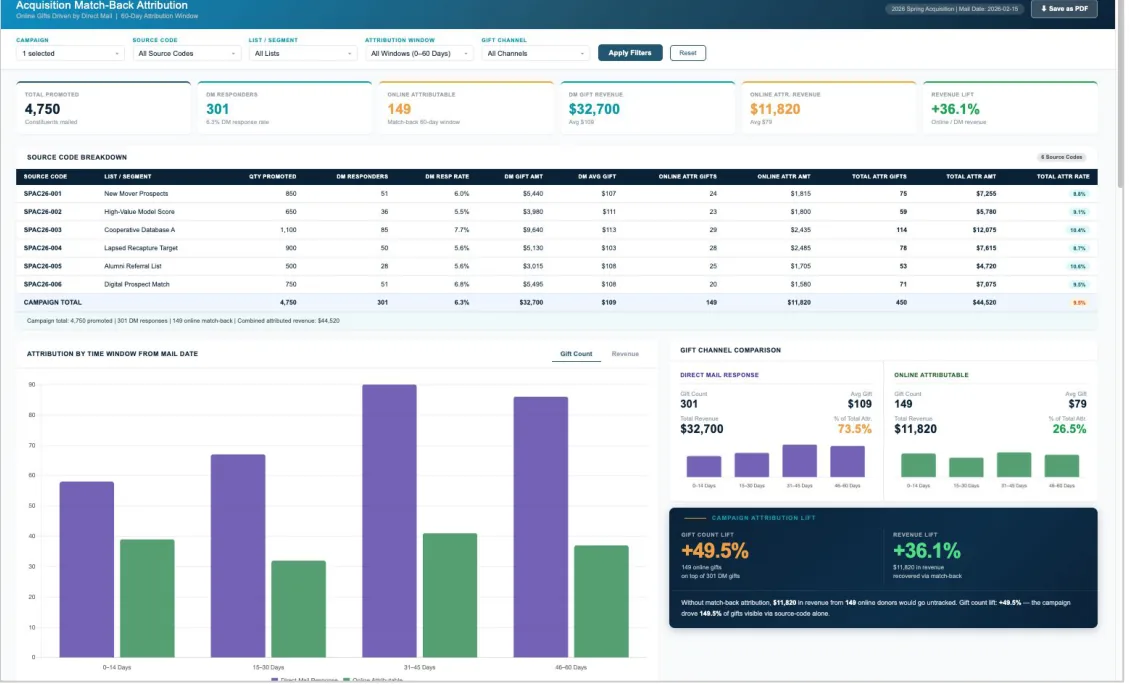
- Non-technical staff can build real dashboards. During the session, a fundraising veteran with no coding background walked through building an acquisition matchback attribution dashboard in Claude. The first working version rendered in under a minute, and the full report took about a day and a half of iteration.
- Direct mail is driving online gifts your CRM never credits. Matchback attribution connects a direct mail campaign to the online donations it inspires within a set window. Without it, acquisition mail looks far weaker than it really is. These are reports you will not find in a standard CRM.
- The system is three layers. Unify the data for your use case, build a context layer that teaches Claude what your data actually means (what counts as a lapsed donor, a major donor, an active donor), then let your team self-serve its questions.
- Accuracy comes from context, not magic. Point AI at raw spreadsheets and you get wrong answers: garbage in, garbage out. Column definitions, business rules, and fresh data pipelines are what make answers trustworthy.
- Governance is non-negotiable. Keep data in a warehouse, grant access only to the tables the AI needs, mask PII, and quality-check every report before you act on it.
- Start small. Pick one focused pain point tied to revenue or cost, prototype it, validate it, take it to production. Then keep going.
From the webinar · The acquisition matchback dashboard a non-technical presenter built in Claude
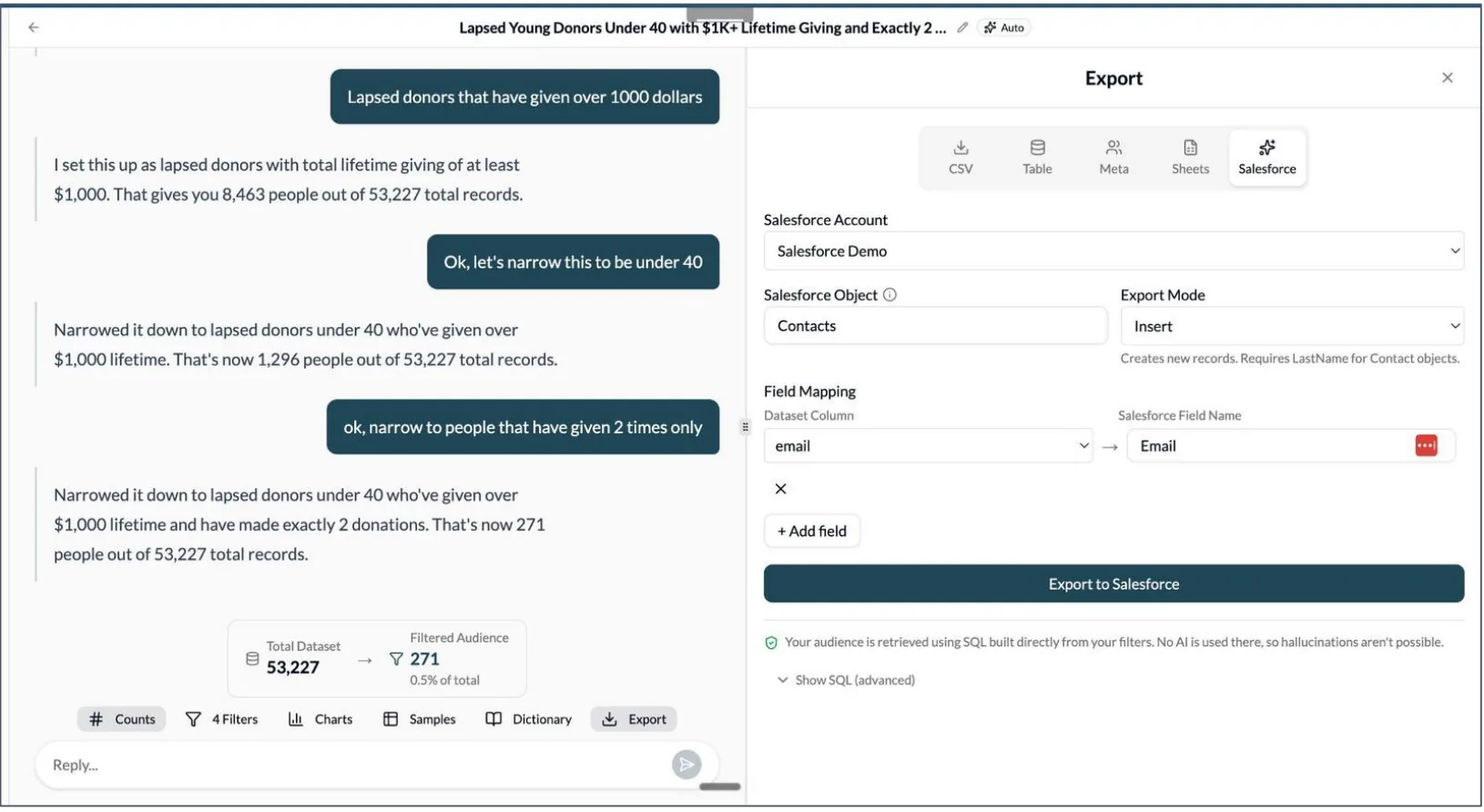
From the live demo · Audience Builder: a donor segment built in plain English, pushed straight to a CRM
Watch and download
The full recording, the slide deck, and a written summary of the Q&A, including questions we did not have time to answer live:
Download the Q&A summary (PDF)
Want to talk through what this could look like for your team? Contact us, we would love to chat.